
Table of Contents
ToggleThis virtual reality guide covers everything beginners need to know before diving into immersive digital experiences. Virtual reality (VR) has moved from science fiction into living rooms, offices, and classrooms around the world. The technology lets users step inside computer-generated environments and interact with them in real time. Whether someone wants to play games, train for a new job, or explore distant places from home, VR offers possibilities that flat screens simply can’t match. This guide breaks down how VR works, what equipment is needed, and how to get the best experience possible.
Key Takeaways
- This virtual reality guide explains that VR headsets use stereoscopic 3D images, motion tracking, and spatial audio to create immersive experiences.
- Standalone headsets like the Meta Quest 3 offer the best balance of price, performance, and convenience for beginners.
- A clear play space of at least 6.5 by 6.5 feet is essential for safe VR use and preventing accidents.
- VR extends far beyond gaming—fitness apps, professional training, social platforms, and virtual tourism are growing rapidly.
- Start with 15-20 minute sessions and properly adjust your headset’s IPD settings for the clearest, most comfortable experience.
- Use this virtual reality guide to explore creative tools, meditation apps, and educational experiences beyond traditional gaming.
What Is Virtual Reality and How Does It Work
Virtual reality creates a simulated environment that feels real to the user. A VR headset displays stereoscopic 3D images, one slightly different image for each eye, which the brain interprets as depth. This tricks the visual system into perceiving a three-dimensional space.
Motion tracking is the other key ingredient. Sensors in the headset detect head movements and adjust the display accordingly. Turn your head left, and the virtual world shifts as if you’re actually looking in that direction. Higher-end systems also track hand movements through controllers or cameras, letting users grab objects, push buttons, and gesture naturally.
Audio plays a surprisingly big role too. Spatial sound changes based on where virtual objects are located, reinforcing the illusion that users exist inside the environment. Combined, these elements create what VR developers call “presence”, the feeling of actually being somewhere else.
Modern VR headsets refresh their displays 72 to 120 times per second. This high refresh rate keeps motion smooth and reduces the motion sickness some users experience. Better hardware generally means smoother tracking and sharper visuals, which strengthens that sense of presence.
Types of VR Headsets and Their Differences
VR headsets fall into three main categories: standalone, PC-tethered, and smartphone-based. Each type offers different trade-offs between price, performance, and convenience.
Standalone headsets contain all necessary hardware inside the device itself. The Meta Quest 3 is the most popular example. Users don’t need a computer or phone, they just put on the headset and start using it. Standalone units offer great portability and easier setup. The downside? Processing power is limited compared to PC systems.
PC-tethered headsets connect to a gaming computer through a cable or wireless adapter. Options like the Valve Index, HTC Vive Pro 2, and HP Reverb G2 deliver sharper visuals and more detailed environments. They require a powerful PC with a dedicated graphics card, which adds to the total cost. Gamers and professionals who want the highest fidelity typically choose this route.
Smartphone-based headsets use a phone’s screen and processors for VR. These were popular a few years ago but have largely faded from the market. Google discontinued Daydream, and most manufacturers have shifted focus elsewhere. Budget-conscious beginners might still find them useful for basic 360-degree video, but they can’t match the experience of dedicated hardware.
For most people starting out, a standalone headset like the Meta Quest 3 hits the sweet spot. It’s affordable, easy to use, and can even connect to a PC later for more demanding applications.
Essential Equipment for Your VR Setup
The headset is obviously the centerpiece, but a few other items make the experience better and safer.
Controllers come bundled with most headsets. They track hand position and let users interact with virtual objects. Some systems now offer hand tracking without controllers at all, useful for casual use, though controllers remain more precise for gaming.
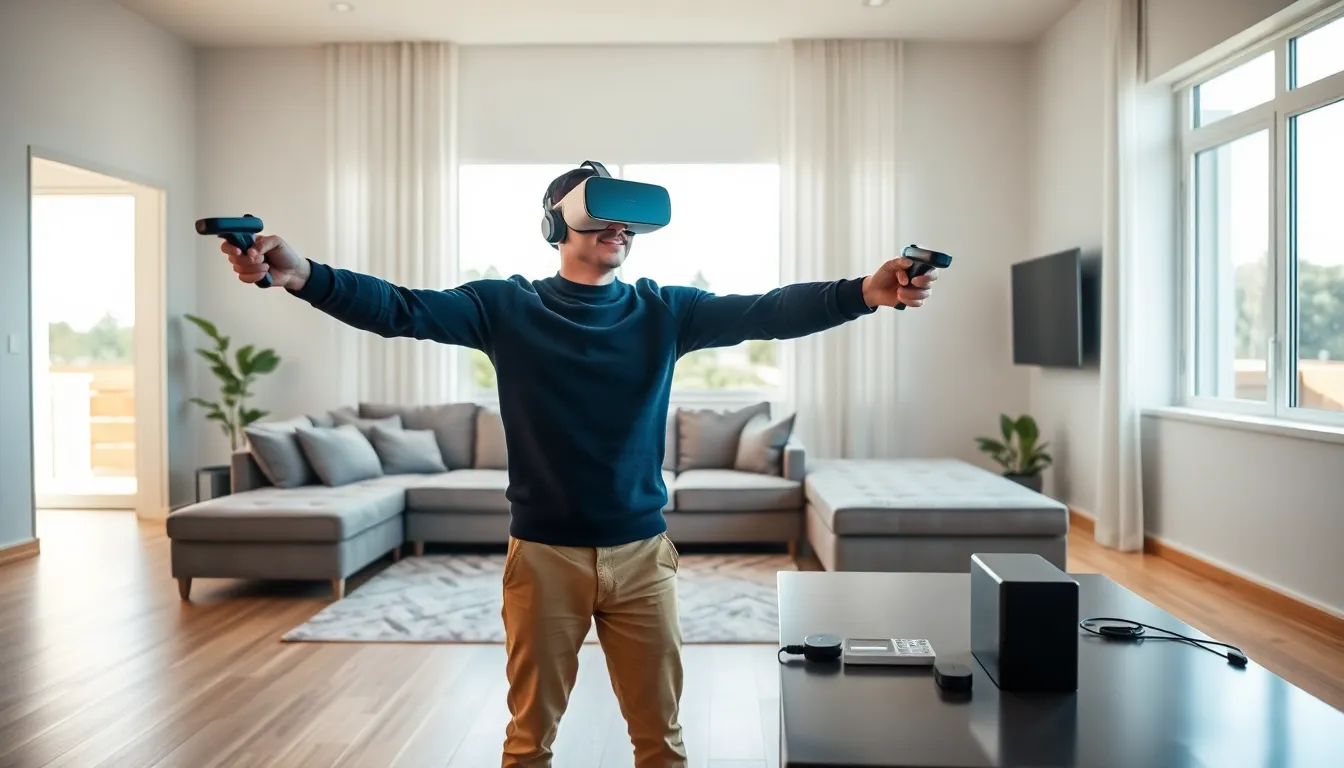
A clear play space matters more than many beginners realize. VR users move around, swing their arms, and sometimes take steps in unexpected directions. A minimum of 6.5 feet by 6.5 feet of open floor space prevents bumped furniture and broken lamps. Guardian systems (virtual boundaries) help, but they can’t stop every accident.
Comfort accessories extend play sessions. The stock head straps on many headsets feel fine for 20 minutes but become uncomfortable during longer use. Third-party straps, prescription lens inserts for glasses wearers, and silicone face covers improve comfort significantly.
Charging solutions keep standalone headsets ready to go. A charging dock or extra battery pack means less downtime between sessions.
For PC VR users, a solid graphics card is essential. An NVIDIA RTX 3060 or AMD equivalent handles most current titles well. Higher-end cards like the RTX 4070 or better unlock maximum visual settings and smoother frame rates.
Popular Uses for Virtual Reality Today
Gaming remains the most common reason people buy VR headsets. Titles like Beat Saber, Half-Life: Alyx, and Resident Evil 4 VR show what the medium can do. The physical involvement, actually swinging, ducking, and aiming, makes VR games feel different from traditional gaming.
Fitness applications have gained serious traction. Apps like Supernatural and FitXR turn workouts into games, and users often report burning 400-600 calories per hour without noticing the effort. VR fitness removes the mental barrier of “going to the gym.”
Professional training uses VR to practice dangerous or expensive scenarios safely. Surgeons rehearse procedures, pilots train for emergencies, and factory workers learn equipment operation, all without real-world consequences for mistakes. Walmart trained over a million employees using VR simulations.
Social VR platforms let people meet in virtual spaces. Apps like VRChat and Rec Room host millions of users who socialize, play games, and attend events together. For remote teams, platforms like Horizon Workrooms offer virtual meeting rooms that feel more engaging than video calls.
Virtual tourism lets users visit places they might never see otherwise. From the surface of Mars to ancient Rome reconstructions, VR transports people across distance and time.
Education benefits too. Medical students examine 3D anatomy models. History classes walk through historical events. Abstract concepts become tangible when students can interact with them directly.
Tips for a Better VR Experience
Start with shorter sessions. Even people who don’t experience motion sickness should limit initial sessions to 15-20 minutes. The brain needs time to adjust to virtual environments. Gradually extend session length as comfort increases.
Adjust the headset properly. The lenses should sit directly in front of the eyes, and the display should appear sharp rather than blurry. Most headsets have IPD (interpupillary distance) adjustments to match the space between a user’s eyes. Getting this right dramatically improves clarity.
Keep the play area well-lit for headsets that use inside-out tracking. Cameras on the headset need to see the room to track movement accurately. Dim lighting causes tracking problems.
Take breaks when discomfort starts. If dizziness, nausea, or eye strain appears, stop immediately. Pushing through makes symptoms worse and can create lasting negative associations with VR.
Clean the lenses regularly with a microfiber cloth. Smudges and dust reduce image quality quickly. Never use household cleaners, they can damage lens coatings.
For multiplayer experiences, use headphones instead of the headset’s built-in speakers. Better audio immersion and clearer voice chat improve social VR significantly.
Finally, explore beyond gaming. Many new VR owners stick with games and miss excellent experiences in other categories. Meditation apps, creative tools like Tilt Brush, and documentary experiences offer completely different ways to use the technology.


